
Support
Software and tools
Program Ozobot with blocks in your browser. Choose OzoBlockly for Bit+ or Ozobot Editor for Evo and Ari.
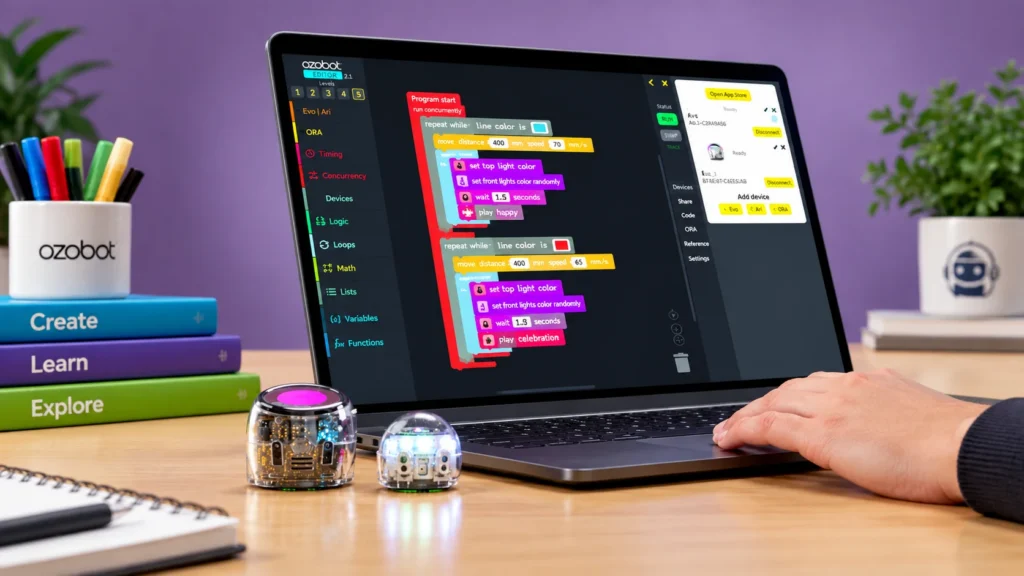
Coding environments
Which software suits your robot?
With OzoBlockly and Ozobot Editor you program with blocks: drag visual blocks and combine them into a program. Both run right in your browser.

For Bit+
OzoBlockly
The block-based coding environment for Bit+. The five levels provide a progression from simple to more advanced blocks.
- Works with: Ozobot Bit+ and Ozobot Evo
- On: Chromebook, Mac, Windows PC, iPad and Android tablet

For Evo and Ari
Ozobot Editor
The environment for Evo and Ari, for block-based coding and Python programming. Ozobot Editor is also available in Dutch.
- Works with: Ozobot Evo and Ozobot Ari
- On: Chromebook, Mac, Windows PC, iPad and Android tablet
OzoBlockly
Block-based coding in OzoBlockly
With block-based coding each command has its own block. You drag visual blocks onto a workspace and combine them into a program. Together they determine what the robot will do.
In OzoBlockly you choose a level that suits you. You start with a few movements and later add, for example, a repeat or a decision. By changing a block and testing again, you explore what that choice does.
How to start
Open OzoBlockly
Go to ozoblockly.com in your browser and choose the level that suits you.
Program with blocks
Drag blocks to the workspace and combine them until your program is ready.
Load it into your robot
Connect Bit+ to your computer with the USB cable and load the program. OzoBlockly shows how to do this.
Ozobot Editor
Block-based coding and Python in Ozobot Editor
Ozobot Editor is the programming environment for Evo and Ari. You program with blocks that match what the selected robot can do, such as moving, lighting up, and responding to the environment. When you’re ready for more challenge, you can program in the same environment using Python.
Ozobot Editor is also available in Dutch. First choose your robot; the Editor then shows only the blocks that fit that robot.
How to start
Open Ozobot Editor
Go to editor.ozobot.com in your browser.
Choose your robot
Select your robot and program with the blocks that belong to it.
Connect and test
Connect your robot and send the program. Adjust it and test again until it works the way you want.