Choose which cookies you allow. You can always change your choice via "Cookie settings" at the bottom of the page.

Search Ozobot Benelux

What are you looking for?

Type at least two characters. You can also search by SKU or EAN.

Discover Ozobot

Ozobot Ari

Ozobot Ari is a programmable robot with an interactive touchscreen. Program with Color Code programming, Ozobot Editor or Python and learn how AI works.

Touch. Program. Discover.

A robot with its own touchscreen

Ozobot Ari combines a programmable robot with a round, interactive touchscreen. Activities, animations, and responses to your program appear on that screen. You make the robot move and work directly with the content on the screen.

That gives Ari its own place alongside Bit+ and Evo: with Ozobot Editor, Python, and lessons about AI you go beyond programming alone.

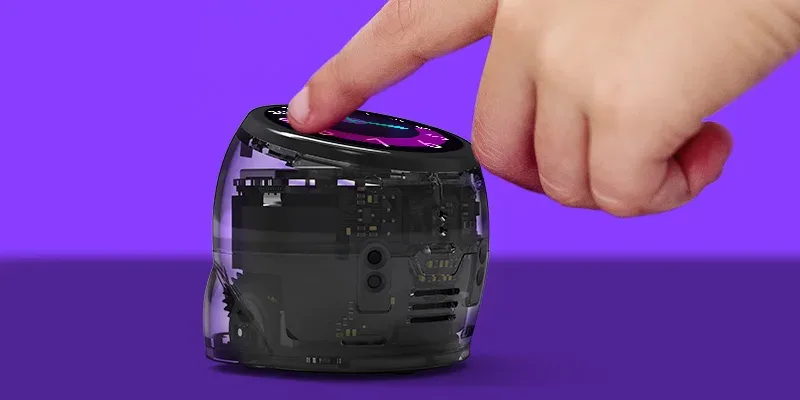
Finger operating Ari's round touchscreen

Watch the demo

See Ari in action

In this English-language demo Ozobot shows how Ari, the lesson activities, and the programming environment work together.

More than a route

Interaction on and around the robot

Finger operating Ari's round touchscreen

Touchscreen

Operate activities on the robot and make the screen respond to your program.

Visual programming blocks in Ozobot Editor on a tablet

Block-based coding

Program with blocks in Ozobot Editor, for example for the screen and the gyroscope.

Ari product visual showing the robot components

Sensors

Ari includes, among others, a distance sensor, accelerometer, and gyroscope. With these you can incorporate movement and environment into your code.

Three ways to program

Color codes, block-based coding and Python

Take your first steps with Color Codes

You can also program Ari screen-free with color codes: using markers, color code magnets, or color code stickers. Ari follows the lines and reacts to the color codes. A familiar start for anyone who has worked with Bit+ or Evo.

Drag and combine blocks

In Ozobot Editor you drag visual blocks and combine them into a program, for example a movement with a reaction on the touchscreen. Ozobot Editor is also available in Dutch.

Python programming

Ready for more challenge? With Python you program Ari with textual code in Ozobot Editor. That way you discover step by step how a programming language works and further develop your own ideas.

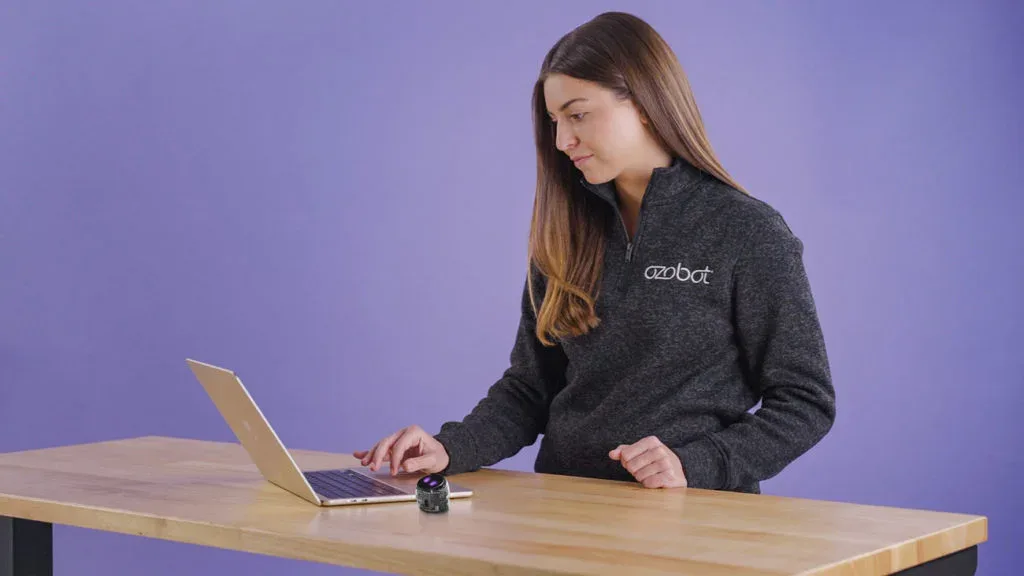
Teacher programs Ari with a laptop
Two students looking at Ozobot Ari

Connecting programming with your lesson

Ari in education

Start with a topic you want to explore. For example, have students predict a distance, observe the execution, and discuss how they adjust their program.

The built-in activities and our free Dutch-language lessons offer various starting points, suitable for your students' level. With the touchscreen you follow an activity on the robot; with Ozobot Editor and Python you extend the programming challenge.

Match the choice of color codes, block-based coding, or Python to the students' experience and the guidance you provide.

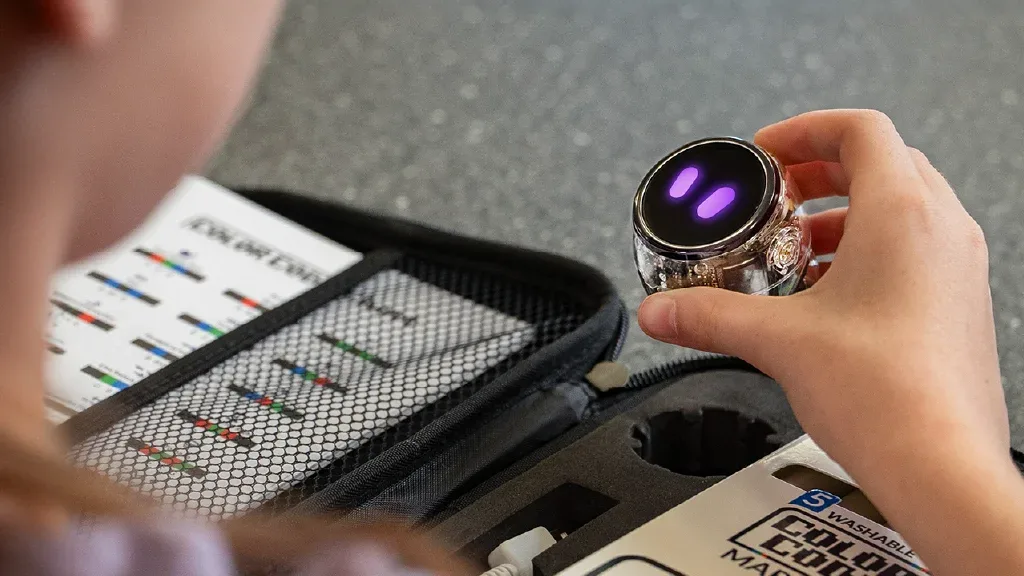
Student holding Ari next to the open case

Further exploration

Getting to know AI and diving deeper into it

With Ari, students not only learn to use AI but also to understand how it works. In Ozobot Editor they can program, for example, with prompts in natural language and see what a digital system does with their input.

This way students first get acquainted with AI and then delve deeper: how is an outcome produced, and is it correct? In doing so they learn to understand, use, and critically evaluate AI.

Visual programming blocks in Ozobot Editor on a tablet

What makes Ari different?

Ari runs on Android and has a built-in speaker, LEDs and an interactive touchscreen. The Time-of-Flight sensor measures distance; the accelerometer and gyroscope provide motion data. Ari receives updates from Ozobot via Wi‑Fi.

Bit+ is the accessible start with color codes and OzoBlockly. Evo adds motion, light, sound, sensors, Ozobot Editor and Python. Ari adds an interactive touchscreen and learning about AI.

Ozobot Ari with round touchscreen and purple eyes

Help choosing

For education

Which Ozobot suits your education?

Answer a few short questions about your students, programming level and way of working. Discover which robot and configuration suit you.

Concrete differences

Compare Ozobot configurations

See the differences between the Entry Kits and Classroom Kits of Bit+, Evo and Ari. Compare up to three configurations side by side.

Newsletter

Stay informed

New lessons, classroom tips, product news and promotions from Ozobot Benelux in your inbox.

Receive 5% off your next order

I sign up as

You will receive the newsletter at this email address. You can unsubscribe at any time via the link in every mail. Read our privacy policy (opens in a new tab).

Need a quote?

Add your products and quantities to the cart and choose ‘Create quote’. You will receive a PDF with the current prices. With a business or education account the quote will also be saved under My account → Quotes. Prices and availability are rechecked when ordering.

Opens in a new tab

Cart

Loading your cart…